
What’s new
Torch is excited to release the following enhancements to The Torch Platform this week.
Changes and enhancements
Improvements to the Admin views
We are making some improvements to the Admin views in the Program and Cohort tabs over the coming weeks: to be easier to navigate, to add new information, and for consistency across different Program types.
This week you’ll see changes to the Manage tab and a new Escalations tab. We’ll continue to share more updates in future releases.
“Manage” tab: Updates to the Paths table
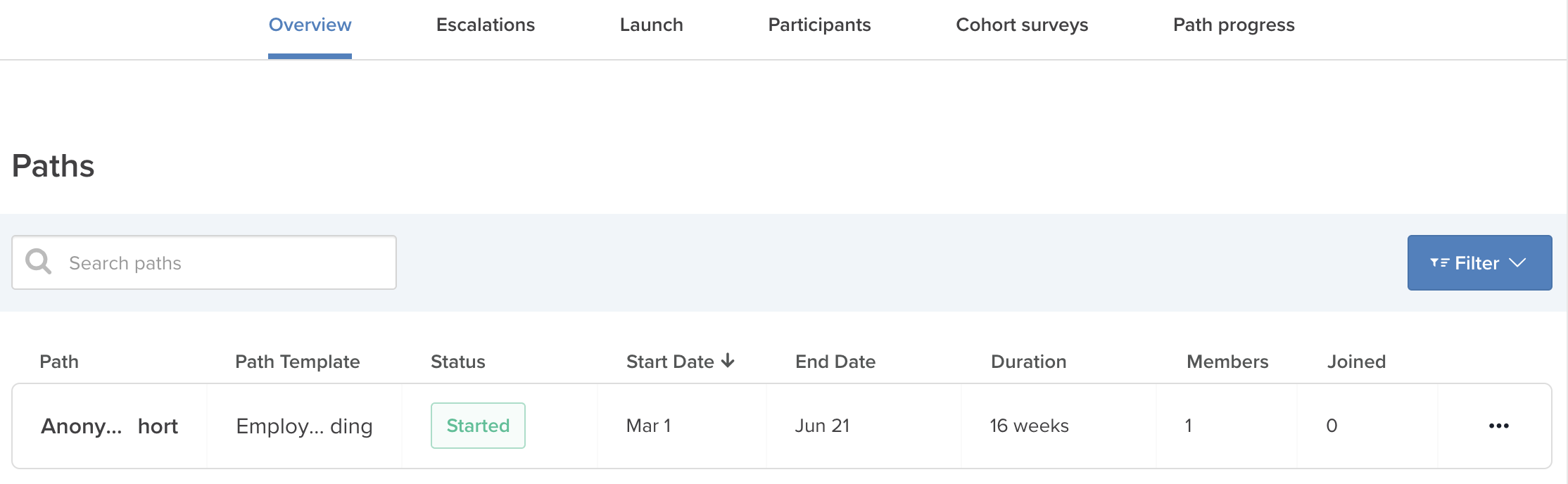
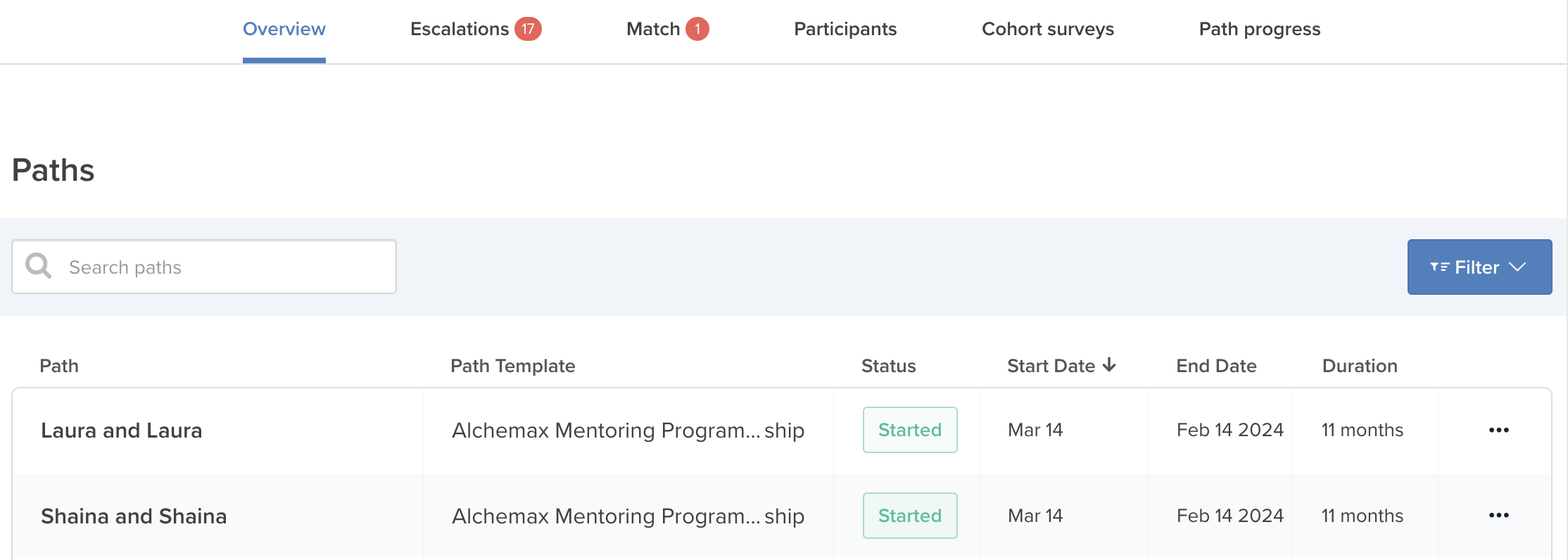
All program types will now see a Paths table at the top of the Manage tab, which displays information about the paths in your Cohort. This table can also now be searched or filtered.
Learning Program, Manage tab:
Mentoring & Coaching Software Programs, Manage tab:
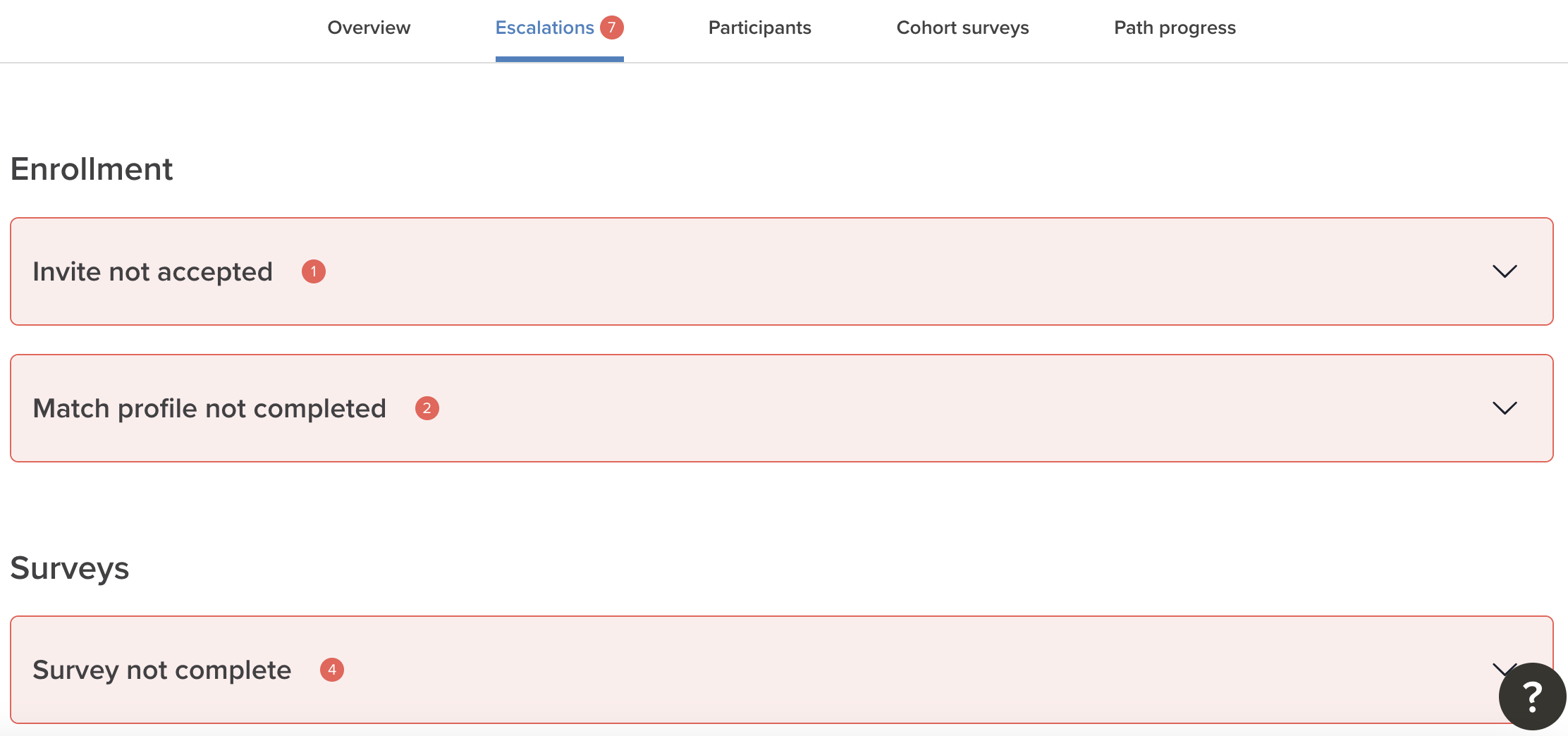
“Escalations” tab: New tab
All program types will now see a new tab in your Cohort: Escalations. Escalations were previously shown in the Manage tab; no changes have been made to the logic or functionality, other than pulling all Escalations into this separate new tab.
Set a specific path end date
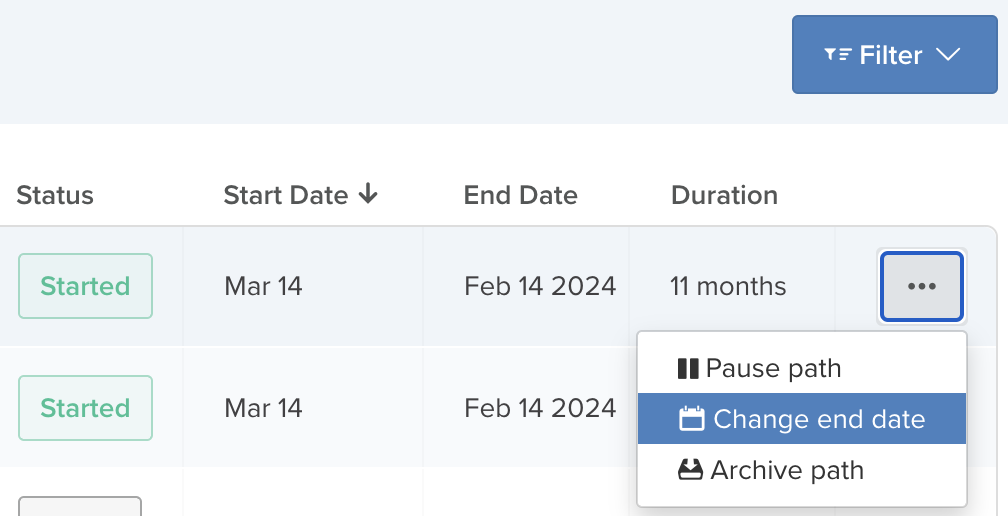
Admins are now able to update the end date of a path in Learning Programs, Mentoring Programs, or Coaching Software Programs. End dates are currently calculated based on the launch date and the durations set for each of the sections within a path. Before this release, you were not able to override the calculated end date to be a specific date. This release provides Admins the ability to set a specific end date for the path.
Why might you change an end date?
There are two common use cases for manually changing a path end date: extending the path or shortening it. If you want to give your participants additional time in their experience, rather than adding new sections to a path template with additional time and resources, an Admin can simply change the end date to allow for additional time to complete the learning activities. Conversely, you may want to shorten a particular path if less time is desired.
How to set the end date
From the Manage tab of a Cohort, you will see a list of all paths. Here, Admins can select the Action menu (located at the end of the relevant path’s row) and select “Change end date” from the list of actions. Follow the instructions to set the new path end date.
What participants in the path see
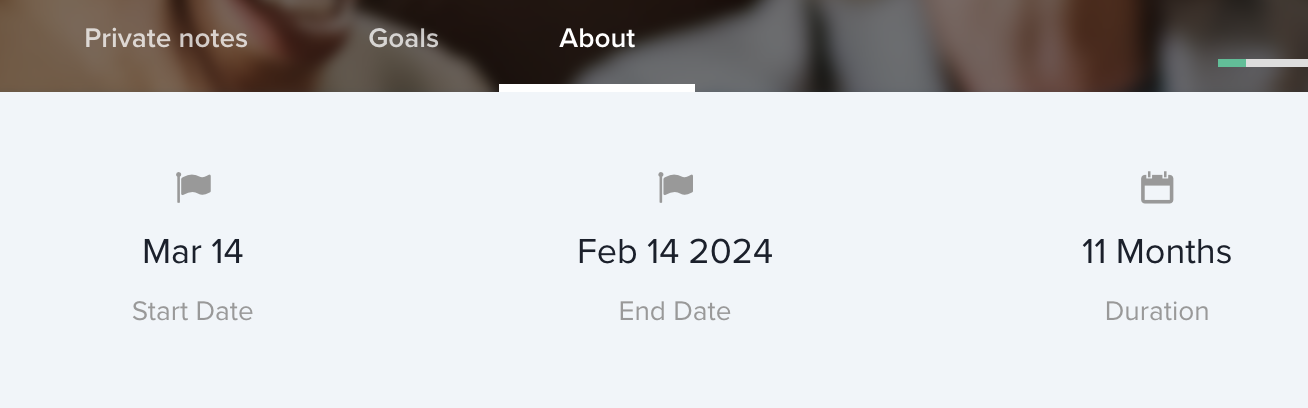
Participants will see the end date within the path and in the About tab. All participants will also receive an email letting them know when the end date is changed by the admin.
What happens when the path ends
If a path ends without archiving, nothing will change for the participant. They will still see it in their path list and be able to access and interact with content. If a path is archived based on the end date, the archive behavior will hold.